Web Scraping with Python
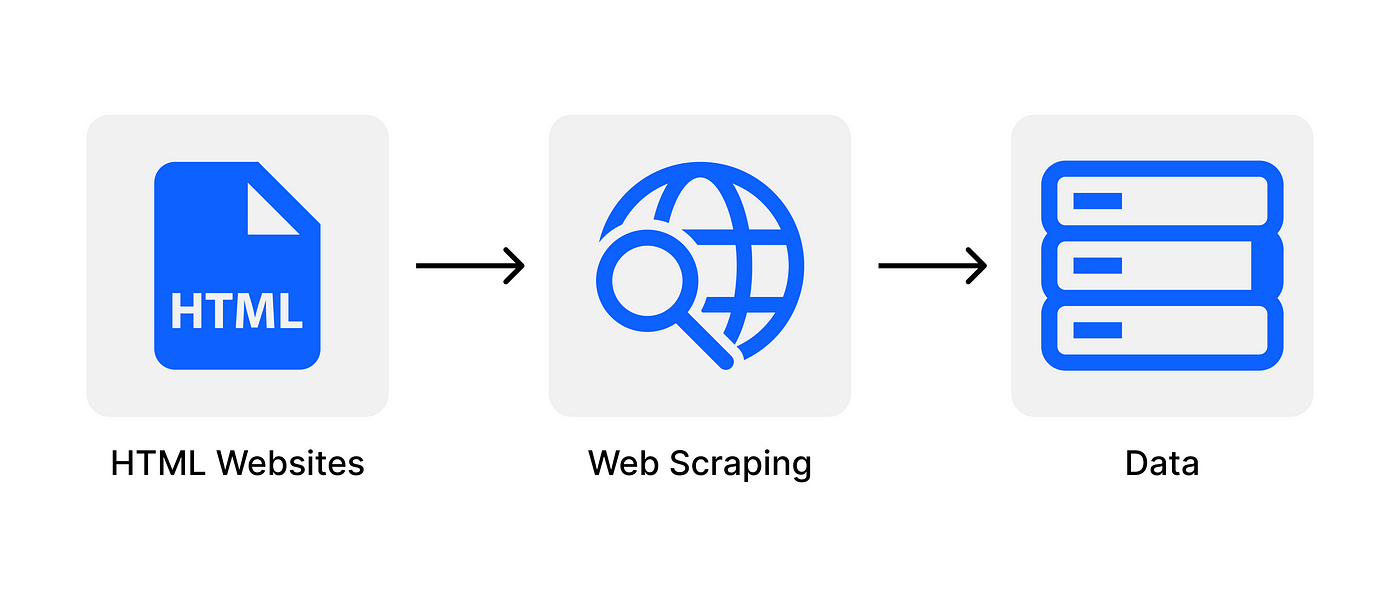
What is Web Scraping ?
Web Scraping is a technique used to automatically extract large amounts of data from websites and save it to a file or database. It is also known as Screen Scraping, Web Data Extraction, Web Harvesting. The data scraped will usually be in tabular/spreadsheet format.
Data displayed by websites can only be viewed using a web browser. Most websites do not allow you to save a copy of this data to a storage location or database. If you need the data, the only option is to manually copy and paste the data — a very tedious job which can take many hours or days to complete. Web Scraping is the technique of automating this process, so that instead of manually copying the data from websites, the Web Scraping software will perform the same task within a fraction of the time.
A web scraping software will automatically load, crawl and extract data from multiple pages of websites based on your requirement. It is either custom built for a specific website or one which can be configured to work with any website. With the click of a button, you can easily save the data available in the website to a file in your computer.
What is Web Scraping used for?
- 1. In E-Commerce, Web Scraping is used for competition monitoring and price comparisons.
- 2. In Marketing, Web Scraping is used for lead generation, to build phone and email lists for cold outreach.
- 3. In Real Estate, Web Scraping is used to collect property details as well as contact details of agents and owners.
- 4. Web Scraping is used to collect training data for Machine Learning models.
Libraries Used For Web Scraping
For executing web scraping in Python, there are 3 libraries which are necessary to be included, they are: Requests, BeautifulSoup and Pandas
- Requests: It allows you to send HTTP/1.1 requests with ease and it does not require to manually add query strings to your URLs, or to form-encode your POST data.
- BeautifulSoup : is used for web scraping purposes to pull the data out of HTML and XML files. It creates a parse tree from page source code that can be used to extract data in a hierarchical and more readable manner.
- Pandas: Pandas is mainly used for data analysis. Pandas allows importing data from various file formats such as comma-separated values, JSON, SQL, Microsoft Excel. Pandas allows various data manipulation operations such as merging, reshaping, selecting, as well as data cleaning, and data wrangling features.
- Selenium: is an open-source web-based automation tool. Selenium primarily used for testing in the industry but It can also be used for web scraping. We’ll use the Chrome browser but you can try on any browser, It’s almost the same.
Code
Install require libraries using ‘pip’ command
pip install BeautifulSoup
pip install selenium
Firstly, we get the url in form of httpresponse using the request library, then we create a soup object.
url="https://www.flipkart.com/search?q=phones&otracker=search&otracker1=search&marketplace=FLIPKART&as-show=on&as=off"response = requests.get(url)htmlcontent = response.contentsoup = BeautifulSoup(htmlcontent,"html.parser")
Now, create empty list of product, rates and ratings
products=[]
prices=[]
product=soup.find('div',attrs={'class':'_4rR01T'})
print(product.text)
We use the anchor tag ‘a’ to extract data using the division tag and store it in the above empty lists.
for a in soup.findAll('a', attrs={'class':'_1fQZEK'}):
  name=a.find('div',attrs={'class':'_4rR01T'})
  price=a.find('div',attrs={'class':'_30jeq3 _1_WHN1'})
  products.append(name.text)
  prices.append(price.text)
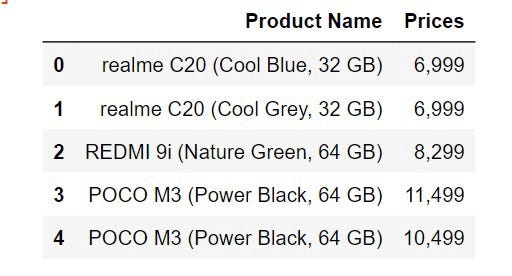
Resulted Dataset after df.head() :


Comments
Post a Comment