Practical-9 Perform Data Analytics using Power BI Using given Dataset
Perform Data Analytics using Power BI using the given dataset
In this series of using Power BI for generating various reports using the dataset we have, this blog comprises of how we can load data in Power BI from excel datasheet, perform data analytics and create report with various visualizations.
Data Analytics
Data analytics is the science of analyzing raw data to make conclusions about that information. Data analytics help a business optimize its performance. Any type of information can be subjected to data analytics techniques to get insight that can be used to improve things. Data analytics techniques can reveal trends and metrics that would otherwise be lost in the mass of information. This information can then be used to optimize processes to increase the overall efficiency of a business or system.
Power BI Report
A Power BI report is a multi-perspective view into a dataset, with visuals that represent different findings and insights from that dataset. A report can have a single visual or pages full of visuals. Power BI bases a report on a single dataset. Report designers create the visuals in a report to represent nuggets of information. The visuals aren’t static. They update as the underlying data changes. You can interact with the visuals and filters as you dig into the data to discover insights and look for answers. Like a dashboard, but more so, a report is highly interactive and highly customizable.
About the data
For preparing report, I have used data regarding the sales details and other data necessary for it. The excel sheet for various data are as follows:
- Customer Details: The sheet has details about customer id and customer name.
- Order Details: This data sheet has attribute values for Order id and Order Date.
- Sales Details: The sales details has data regarding Order ID, Customer ID, Place ID, Product ID, Sales ID, Sales, Quantity, Discount and Cost.
- Region Details: The region details has data regarding the city, state and the place id.
- Product Details: The product details has data about Product ID, Category, Sub-Category and Product Name.
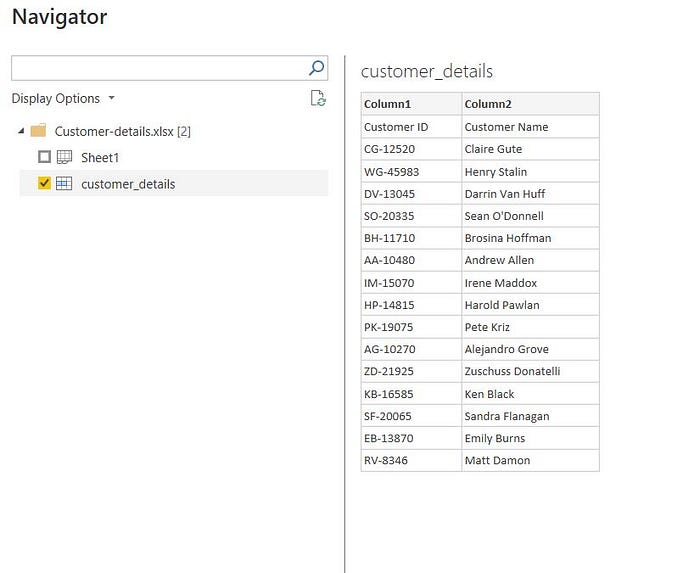
To load this data in Power BI application choose the option of Get Data from Excel Book and load all the excel one after other.

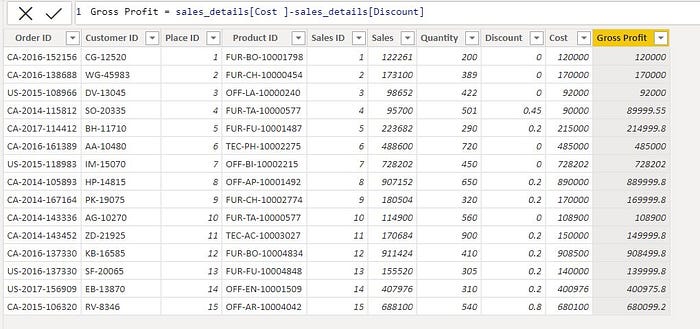
After loading the data in Power BI, next I have added a new column in the Sales Details named Gross Profit which will show the gross profit earned after deducting discount from the cost price.

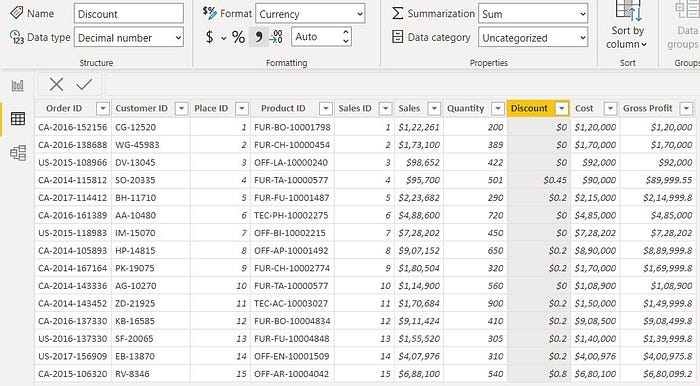
Next we can add different symbol to columns we need like in the below image I have added the currency symbol to the columns sales, cost, discount and gross profit using the Format functionality provided.

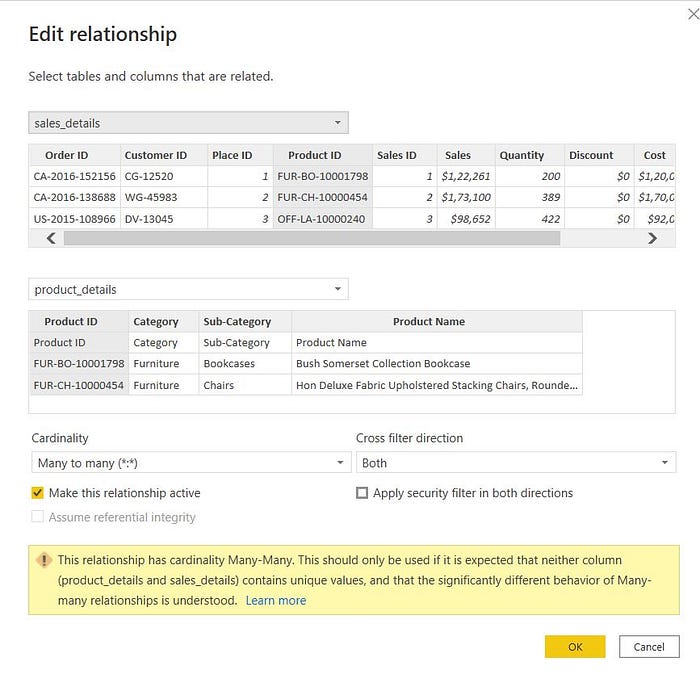
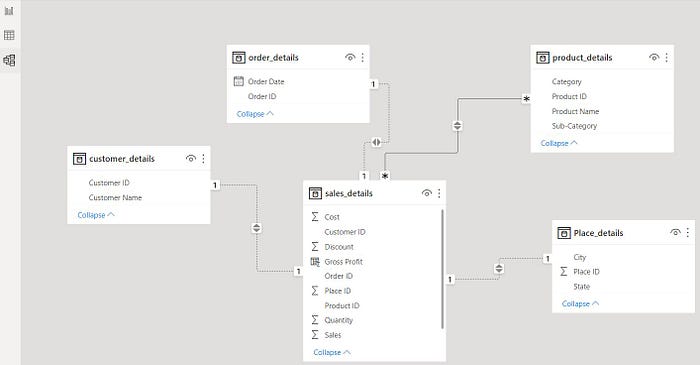
The relationship between the tables can be viewed in the model section and also we can add relationship between two tables according to our needs using the edit relationship option and creating relationship between two attributes of two different tables.


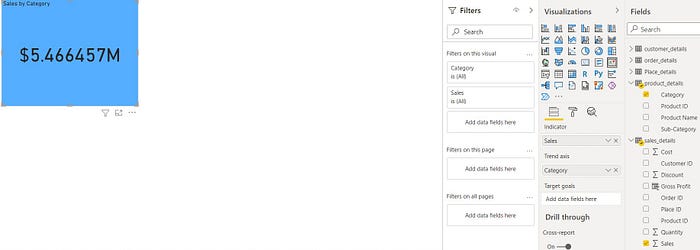
Next we create two different KPI visualizations which will the Gross Profit by Category and Sales by Category.



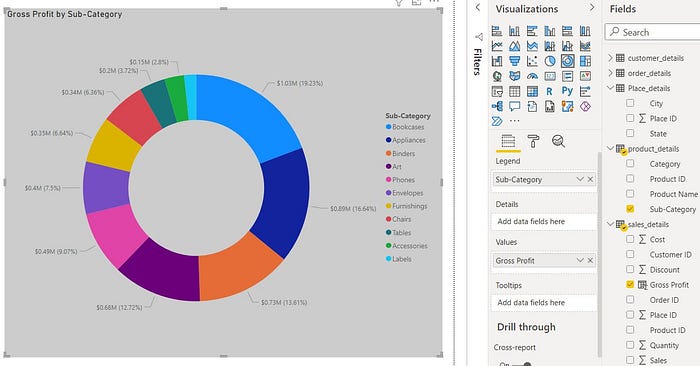
Next we create a visualization using the Donut Chart in Power BI which shows the Gross profit with respect to different sub category present in the Product details table. The report generated is shown in the below figure.

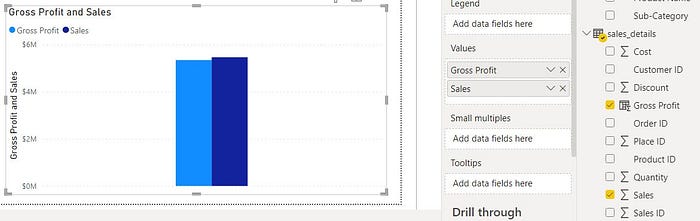
After this we create a comparison plot visualization for Gross Profit and Sales in the report section.

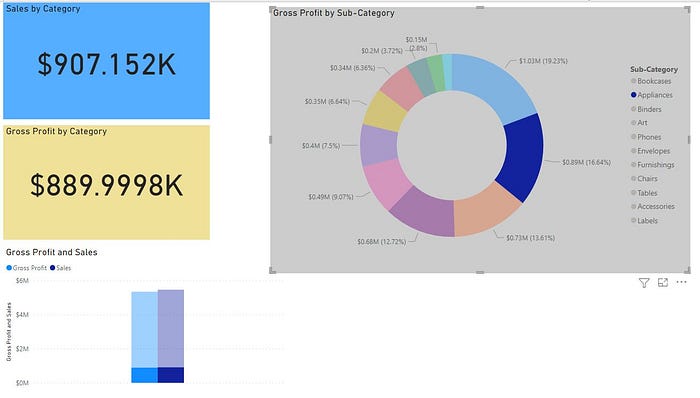
Since the report generated in Power BI are interactive when we choose on a particular sub-category in the Donut Chart here “Appliances” the other visualizations of KPI chart for Gross Profit, Sales and Comparison chart for Gross Profit and Sales will highlight and show the values corresponding to only “Appliances” category.

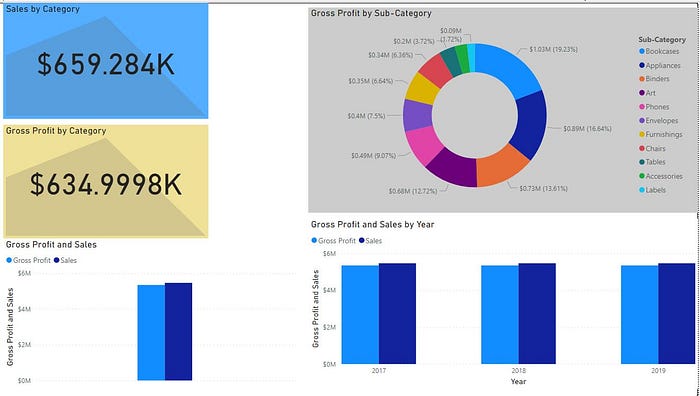
The complete report that is created is shown in the below figure which has KPI graph along with Donut chart, comparison between Sales and Gross Profit char and graph representing gross profit and sales for specific years.


Comments
Post a Comment